

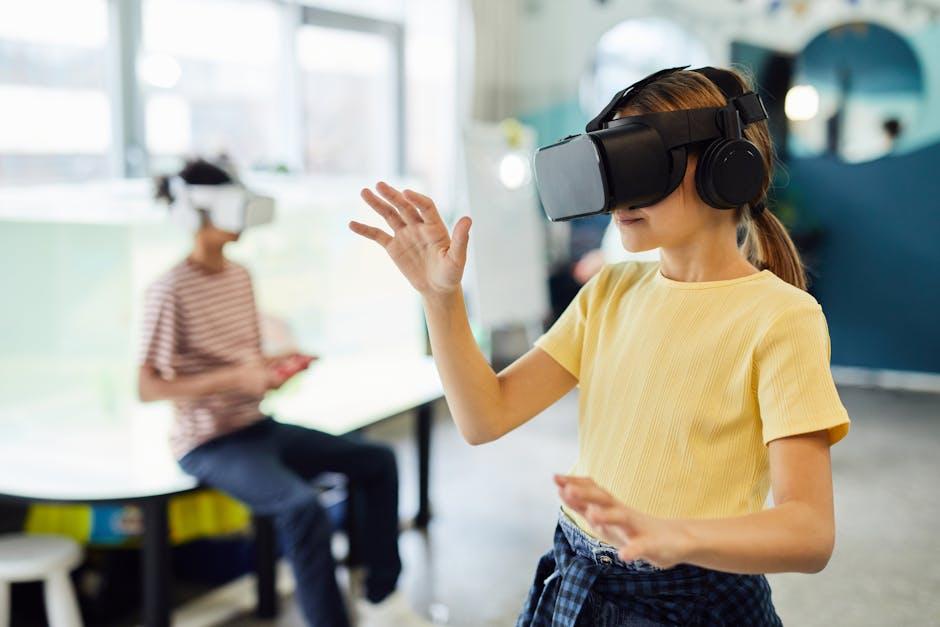
Virtual reality is moving from gaming rigs to school labs, as districts test headsets and immersive software to deliver hands-on lessons once limited by cost, safety, or geography. From virtual dissections and chemistry labs to simulated welding bays and field trips to coral reefs, educators are piloting modules that promise to let students practice, explore, and repeat complex tasks without leaving the classroom.
Falling hardware prices, easier device management, and a growing pool of curriculum-aligned content are accelerating adoption. Advocates say VR can heighten engagement and make abstract concepts tangible, particularly in science and career and technical education. Skeptics warn of equity gaps, motion sickness and hygiene concerns, screen-time limits, and the need for extensive teacher training, while researchers continue to assess long-term learning gains.
With budgets tight and results under scrutiny, the coming school years will test whether VR can move beyond novelty to become a core tool for hands-on instruction-or remain a niche supplement in the ed-tech toolkit.
Table of Contents
- VR shifts from novelty to lab tool as schools deploy standards aligned simulations and career pathway modules
- Hardware and hygiene guidance standalone headsets device management software and classroom sanitation protocols
- Teacher readiness plan coaching time micro credentials and collaborative planning with instructional designers
- Safety and equity guardrails privacy by design accessibility options motion comfort strategies and family consent
- In Retrospect
VR shifts from novelty to lab tool as schools deploy standards aligned simulations and career pathway modules
School systems are moving VR from show-and-tell to a repeatable lab instrument, embedding standards-aligned simulations directly into pacing guides and LMS workflows. District leaders describe using headsets for pre-lab practice, procedural safety, and formative checks, with analytics mapped to course objectives. Vendors are packaging modules that mirror state frameworks, while IT teams cite smoother deployment via single sign-on, device management, and offline modes for low-connectivity campuses.
- Core use cases: biology dissections, chemistry safety drills, physics experiments, world languages immersion, and SEL scenarios.
- Assessment hooks: auto-logged steps, time-on-task, and rubric-aligned evidence exported through LTI/xAPI.
- Classroom fit: cart-based headsets, sanitization workflows, guardian settings, and seated modes to reduce motion discomfort.
- Compliance: privacy-by-design, age-appropriate experiences, and accessibility features such as captions and high-contrast UI.
At the same time, districts are tying VR to career pathways, building stacks that introduce high-demand fields before students choose electives. CTE directors point to industry-informed scenarios-from sterile technique in healthcare labs to metrology in advanced manufacturing-linked to badges, micro-credentials, and dual-enrollment partners. Procurement teams weigh per-seat licenses versus content marketplaces, while professional learning focuses on instructional use, not just device operation.
- Pathway modules: healthcare, renewable energy, construction trades, logistics, cybersecurity, and hospitality service.
- What schools want next: co-authoring tools for teachers, multilingual content, deeper LMS analytics, and clear total-cost models.
- Adoption hurdles: content vetting, device rotation time, equitable access, and evidence of impact on lab readiness.
- Watchpoints: interoperability standards, funding sunsets, and integration with credentialing platforms.
Hardware and hygiene guidance standalone headsets device management software and classroom sanitation protocols
School systems rolling out classroom VR are prioritizing durable, standalone headsets that minimize cables and setup time while maximizing instructional uptime. IT leaders report selecting units with swappable face interfaces, broad IPD adjustments, glasses-friendly spacers, and battery telemetry, alongside charging carts that support overnight rotation. Just as critical, districts are pairing hardware with enterprise device management to enforce app whitelists, push updates on a schedule, and lock experiences into lesson-ready kiosk modes-measures designed to protect student data and keep sessions on pace with bell schedules.
- Rugged, wipeable builds: reinforced straps, sealed ports, and replaceable face cushions suitable for frequent sanitation.
- Connectivity and casting: Wi‑Fi 6/6E, offline content packages, and teacher casting to classroom displays.
- Power and storage: battery health alerts, surge-protected charging carts, and numbered inventory for check-in/out.
- MDM essentials: zero‑touch enrollment, kiosk mode, timed sessions, role-based access, remote lock/wipe, and audit logs.
- Privacy compliance: FERPA/GDPR-aligned settings, local data minimization, and SSO/roster sync with district SIS.
Health guidance accompanying these deployments emphasizes consistent, manufacturer-aligned cleaning steps and clear classroom routines. District protocols favor 70% isopropyl alcohol for plastics and straps, lens-safe solution and microfiber for optics, and disposable hygiene covers or personal face interfaces where sharing is unavoidable. UV‑C cabinets are used only when independently certified, with documented dwell times, and not as a substitute for manual wipes. Staff are trained to build brief dry-time buffers between users, require hand hygiene, and log sanitation, mirroring procedures familiar from other shared instructional equipment.
- Before class: inspect straps and lenses, attach clean covers, confirm content is preloaded, and verify battery levels.
- Between users: remove/dispose covers, wipe contact surfaces with 70% IPA, clean lenses with microfiber, allow 2-3 minutes to air-dry.
- End of day: deep-clean face interfaces and straps, replace worn foam, document sanitation, and secure in ventilated carts.
- Health safeguards: gloves for cleaners, no sharing during outbreaks, accommodate sensory needs, and report skin irritation immediately.
- UV‑C (optional): use certified enclosures only; follow manufacturer dwell times; avoid direct exposure to lenses.
Teacher readiness plan coaching time micro credentials and collaborative planning with instructional designers
Districts are moving from VR pilots to full implementation, locking in protected coaching time and pairing classroom educators with instructional designers to co-build lesson flows that align with standards and safety protocols. To verify practice, leaders are rolling out micro-credentials that reward demonstrated classroom application-such as managing device logistics, facilitating reflection after simulations, and assessing skills gained in immersive tasks-while union agreements and scheduling adjustments carve out release periods and stipends for sustained practice.
- Readiness bootcamps: short, job-embedded sessions blending device setup, classroom orchestration, and universal design for learning in VR.
- In-class coaching cycles: plan-teach-reflect loops with side-by-side modeling and data-informed feedback.
- Stackable micro-credentials: competencies in safety and privacy, inclusive facilitation, and performance-based assessment inside virtual scenarios.
- Co-planning studios: weekly design sprints with instructional designers to adapt simulations to local curricula and CTE pathways.
- Resource backbone: exemplar lesson bank, risk-mitigation checklists, family communications, and vendor-agnostic troubleshooting guides.
Early adopting networks report a 6-8 week ramp from orientation to observed classroom use, with cohorts tracked on completion of competency-based badges and fidelity checks via common rubrics. Districts cite improved student engagement in lab sciences and CTE simulations alongside tighter adherence to privacy rules, as coaches prioritize evidence of impact-from time-on-task metrics to artifact quality in capstone builds-over seat time. Rural schools are participating through hybrid coaching and shared design hubs, signaling a scalable model that embeds professional learning into daily practice rather than treating VR as a standalone initiative.
Safety and equity guardrails privacy by design accessibility options motion comfort strategies and family consent
School districts piloting immersive lessons are pairing headline-grabbing hardware with quiet, nonnegotiable safeguards. Procurement frameworks now require privacy-by-design guarantees and equity checks before a headset enters a classroom, while operations teams codify hygiene and accountability measures. Officials say the goal is to reduce risk without throttling innovation, ensuring every student-regardless of device access, ability, or bandwidth-can benefit from the same standards-aligned content.
- Data discipline: On-device processing where possible, minimal data collection, analytics off by default, and single sign-on tied to district identity systems.
- Permissions and proof: Role-based access, audit logs, vendor compliance attestations (FERPA/COPPA/State laws), and routine third-party security reviews.
- Content controls: Age and topic filters, teacher-locked settings, curated libraries aligned to curricula, and offline modes to avoid unnecessary data exposure.
- Equity safeguards: Shared device carts, loaner programs, multilingual interfaces, low-bandwidth options, and training that maps experiences to Universal Design for Learning.
- Hygiene and safety: Disinfecting protocols, disposable liners, device fit checks, and incident reporting channels baked into classroom routines.
Accessibility and comfort are emerging as frontline requirements, not optional add-ons. Districts report that well-documented motion comfort settings and clear family consent workflows are critical to scale, ensuring transparency for caregivers and predictable, nausea-reducing experiences for students-including those with disabilities or sensory sensitivities.
- Inclusive design: Captions, descriptive audio, high-contrast modes, color-blind palettes, adjustable text, remappable controls, one-hand and seated modes, and voice navigation.
- Comfort engineering: Teleport locomotion, snap turning, vignette/field-of-view limits, IPD calibration, 90Hz+ refresh, time caps with break prompts, and teacher-visible casting for oversight.
- Transparent consent: Opt-in permission forms, plain-language data notices, caregiver previews of lesson content, easy opt-out with equivalent learning paths, and documented data-retention timelines.
- Continuous monitoring: Real-time pause/stop controls for educators, post-lesson check-ins for discomfort, and rapid remediation for adverse events.
In Retrospect
As districts move from pilot programs to broader rollouts, the question is shifting from whether virtual reality belongs in classrooms to how it can be implemented at scale. Costs, device management, teacher training, and alignment to standards remain decisive factors, alongside concerns about accessibility, motion sickness, and data privacy.
The next phase will hinge on clear evidence of learning gains, stable funding models, and practical guidance for daily classroom use. Vendors are racing to align content with curricula, while states and accrediting bodies weigh standards and safety guidelines. For now, the pace of adoption will likely track drops in hardware prices and the availability of vetted lesson libraries.
Ultimately, the impact will be judged not by the number of headsets purchased but by measurable improvements in student outcomes and equitable access to hands-on learning. Schools, policymakers, and developers will be watching closely.